
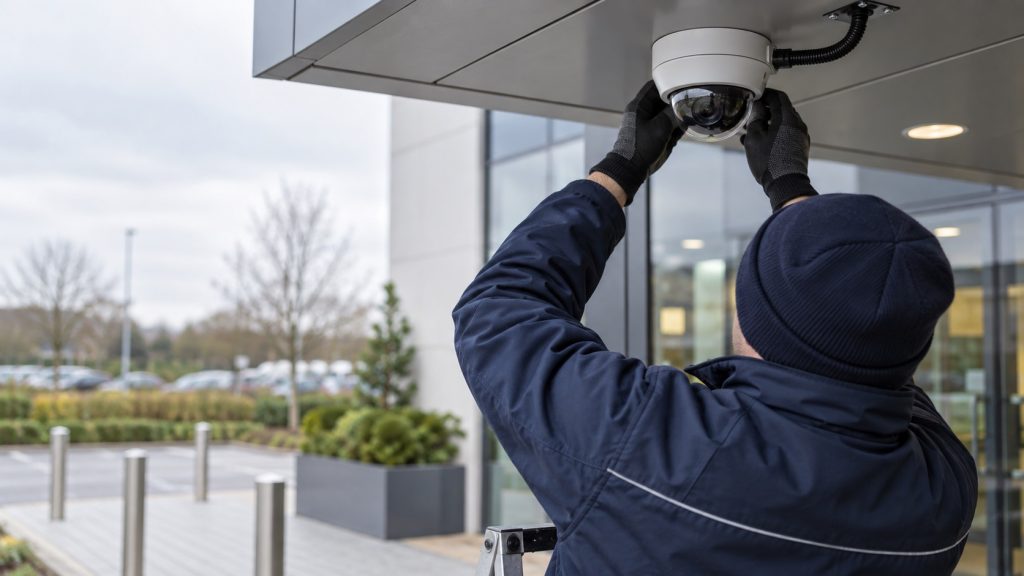
CCTV for businesses can deter crime, support incident investigations and help protect people and property. It also records personal data. That means the system must be designed and operated for a clear purpose, with proportionate coverage, appropriate security and transparent information for the people it records.
This practical guide explains the main data-protection questions UK organisations should address before installing or upgrading CCTV. It is general information, not legal advice; organisations should consider their own circumstances and the latest guidance from the Information Commissioner’s Office (ICO).
Does UK GDPR apply to business CCTV?
Usually, yes. If people can be identified directly or indirectly from the footage, the organisation is processing personal data. The UK GDPR and Data Protection Act 2018 therefore influence how the footage is collected, used, stored, accessed and deleted.
The ICO’s current video-surveillance guidance is the best starting point. It covers CCTV, body-worn video, doorbell cameras and other surveillance technology. The law and ICO guidance can change, so policies should be reviewed rather than filed away indefinitely.
1. Define the purpose before choosing cameras
Start with the problem, not the equipment. “Security” is too vague on its own. A clearer purpose might be protecting a loading bay after repeated theft, controlling access to a plant room or investigating incidents at a reception desk.
A defined purpose helps decide whether CCTV is necessary, which areas need coverage, what image quality is proportionate, how long recordings are needed and who should have access. It also prevents “function creep”, where footage collected for one reason is gradually used for unrelated monitoring.
2. Identify and document a lawful basis
Organisations need a lawful basis under Article 6 of the UK GDPR. Many private organisations consider legitimate interests, while public authorities may rely on public task where appropriate. Consent is often difficult to use for routine surveillance because people cannot freely avoid cameras or withdraw consent in a meaningful way.
The correct basis depends on the controller, purpose and context. Record the decision and, if relying on legitimate interests, document the necessity and balancing assessment. Extra rules apply if the system processes special-category data or uses biometric identification.
3. Carry out a data protection impact assessment where needed
A data protection impact assessment (DPIA) helps identify and reduce privacy risks before installation. It may be legally required where processing is likely to result in a high risk to individuals. Even when not mandatory, a proportionate assessment is useful evidence that privacy was considered at the design stage.
The DPIA should consider alternatives, camera positions, neighbouring property, vulnerable people, monitoring of workers, audio, analytics, remote access, retention and disclosure. Consult the ICO’s DPIA guidance if the system is extensive or uses higher-risk features.
4. Limit the field of view
Position cameras to capture what is necessary for the stated purpose. Avoid recording neighbouring homes, public pavements or staff break areas unless there is a clear, documented need. Privacy masking can exclude windows, desks or adjoining property while retaining useful coverage.
Good design also avoids the opposite problem: footage that is too wide, dark or distant to serve its purpose. A professional site survey should consider lighting, lens choice, camera height, scene movement and the level of detail needed for detection, recognition or identification.
5. Use clear CCTV signs and privacy information
People should be told that CCTV is operating, why it is used and who controls it. Signs should be visible before a person enters the monitored area and direct them to fuller privacy information. That notice should explain purposes, lawful basis, retention, rights, contact details and relevant sharing.
Signs do not create permission to film anything; they are one part of transparent and lawful operation.
6. Set a justified retention period
There is no universal UK rule that all CCTV must be retained for 30 days. Keep footage only as long as necessary for the purpose. A busy retail site, a low-risk office and a critical infrastructure facility may reach different, justifiable conclusions.
Configure automatic deletion where possible and document exceptions for footage preserved after a known incident. Retention should be reviewed when purposes or risks change.
7. Secure footage and remote access
Use strong unique credentials, appropriate user permissions, encryption where supported, secure networks and maintained firmware. Remove default passwords and inactive accounts. Limit exported copies and keep an audit trail of viewing, downloading and disclosure where the system supports it.
Remote viewing is useful, but exposing a recorder or camera directly to the internet can create serious risk. Use a secure, supported access method designed as part of the network and cybersecurity plan.
8. Control access and disclosure
Only authorised people should view or export footage, and only for legitimate reasons. Create a process for police requests, insurers, incident investigations and subject access requests. When disclosing footage, consider whether other individuals need to be redacted.
Staff who operate the system need practical training. A strong policy is ineffective if exports are copied to personal devices or footage is casually viewed.
9. Be especially careful with audio and workplace monitoring
Audio recording is substantially more intrusive than video and will rarely be justified for continuous general monitoring. Disable microphones unless a specific, necessary and proportionate use has been assessed.
Monitoring employees raises additional fairness and employment issues. Cameras should not be installed covertly or used for routine performance monitoring without a compelling basis and specialist consideration.
10. Review the system, not just the picture quality
A scheduled CCTV review should confirm that the purpose remains valid, camera views are proportionate, timestamps are correct, footage deletes as intended, authorised users are current, signs remain visible and security updates are applied. The ICO offers a useful CCTV checklist for organisations.
Indigo Systems designs and installs commercial CCTV and access-control systems across London and the South East. We can help translate the operational requirement into sensible camera coverage, secure recording and controlled access; the customer remains responsible for its legal decisions, policies and use of footage.
Frequently asked questions
How long can a business keep CCTV footage?
Only for as long as it is necessary for the documented purpose. There is no single retention period for every business. Choose a period you can justify, configure deletion and retain particular footage longer only where there is a valid reason.
Does a business need permission to install CCTV?
Planning, landlord, lease or listed-building requirements may apply to the physical installation. Separately, the organisation needs a lawful basis and must comply with data-protection obligations; a sign alone is not permission.
Can CCTV record sound?
Technically it can, but continuous audio is much more intrusive and is difficult to justify for ordinary security purposes. Microphones should normally be disabled unless a specific use has been carefully assessed.
Can staff view CCTV on their phones?
Only where remote access is necessary, securely configured and limited to authorised users. Use managed accounts and devices where possible, revoke access promptly and avoid sharing credentials.
Plan compliant, useful CCTV coverage
For a new installation, upgrade or coverage review, contact Indigo Systems with your premises, risks and operational requirements. A well-planned system should provide useful evidence without recording more than the business genuinely needs.
Want to see this type of work in practice?
Browse Indigo project examples across healthcare, commercial, residential and public-sector buildings.
View Projects